Playwright





Playwright Automation Testing Project
Overview
This project brings together a set of technical test cases designed to validate non-trivial and edge-case scenarios, adding complexity to demonstrate strong problem-solving skills in test automation. It showcases a complete automation testing framework built with Playwright, following the Page Object Model (POM) architecture. The project includes both UI and API testing.
UI Testing, focused on end-user functional validation, ensuring critical user flows behave as expected. API Testing Covers scenarios with and without authorization tokens, analyzing response times, system stability, and overall behavior under different conditions.
Additionally, the project considers high-demand scenarios (such as Black Friday events), evaluating the system’s ability to maintain performance under load and enabling early detection.
The approach goes beyond simply executing tests, it emphasizes critical thinking: defining what to validate, how to validate it, and which metrics to monitor in order to ensure product quality in real world scenarios.
Tech Stack
| Playwright | TypeScript | Node.js | GitHub Actions | Ubuntu | |
|---|---|---|---|---|---|
Features
- Data-driven testing (JSON / Excel) for dynamic scenarios
- UI Test Automation with Playwright using Page Object Model (POM)
- API Testing with and without authentication (token-based)
- End-to-End (E2E) testing covering critical user flows (purchase flow)
- Advanced error handling with controlled failures and evidence capture
- HTML reporting for test results visualization
- Performance validation (response time assertions)
- Concurrency testing (parallel requests simulation)
- CI/CD integration with GitHub Actions
Page Object Model (POM)
The project follows the Page Object Model design pattern to improve: Maintainability- Readability- Scalability and Reusable components. Each page contains its locators and actions, separating logic from tests.
Continuous Integration
This project uses GitHub Actions to automatically run tests on every push and pull request. This project uses GitHub Actions to ensure code quality and stability CI/CD includes: Install dependencies - Install browsers - Run tests - Generate HTML report - Upload artifacts - Publish report Workflow file: .github/workflows/playwright.yml
Test Reports
After each execution, Playwright generates an HTML report. The report includes: - Passed tests - Failed tests ( with Screenshots) - Execution time
GitHub Actions
Tests run automatically on:
push to mainpush to masterpull requestsReport is available in GitHub Actions artifacts.
Running Tests Locally
To execute the tests on your local environment:
-
Install dependencies:
npm install -
Run all tests:
npx playwright testRun tests in headed mode:
npx playwright test --headed -
Open the HTML report:
npx playwright show-report
Test Scenarios Overview
UI Testing
:arrow_forward: Test 1: Dynamic Product Search & Error Handling
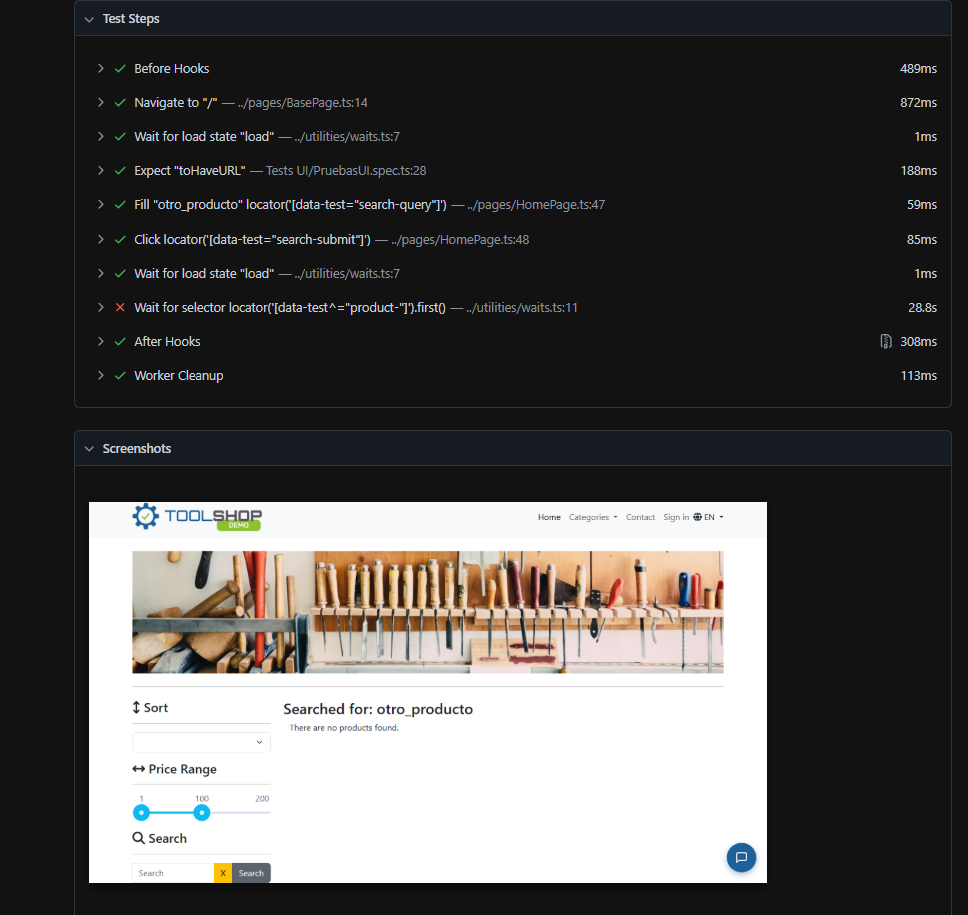
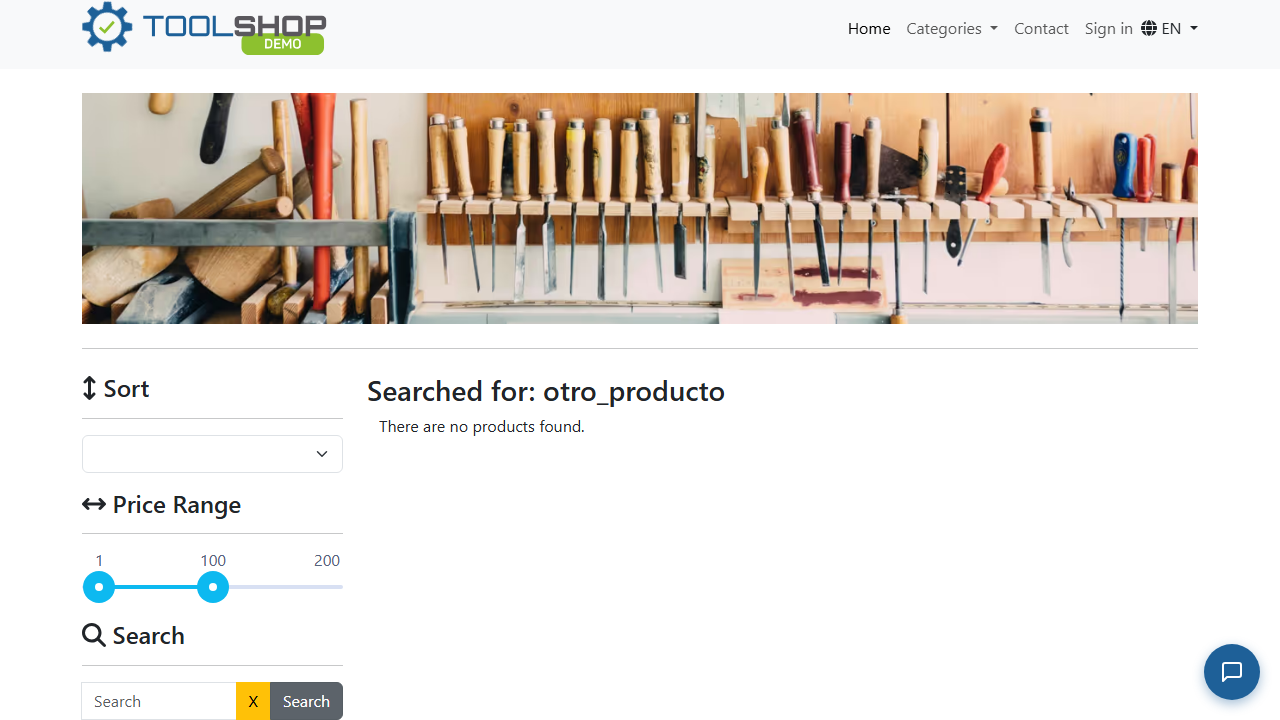
This test validates the system’s ability to handle dynamic searches using external data sources (JSON). Product searches are executed using parameterized data. The test specifically selects the second result from the list. If a second product does not exist or the product is unavailable: The absence of the element is handled gracefully without breaking the test. A controlled message is logged indicating that a second product is not available. A screenshot is captured as evidence of the “No results found” state.
Value: Demonstrates data-driven testing, error handling, and test resilience.
:arrow_forward: Test 2: Product Sorting Validation (Price Low to High)
This scenario validates that the system correctly sorts products when applying filters. A price filter (low to high) is applied.Prices displayed in the UI are collected.Values are compared to ensure they are sorted in ascending order.
Value: Ensures data consistency and correct business logic implementation on the frontend.
:arrow_forward: Test 3: File Upload Validation
Validates the file upload functionality. Upload of a .txt file with specific constraints (e.g., defined file size).
Value: Covers a key user interaction within the system.
:arrow_forward: Test 4: Successful Login (Happy Path)
Validates the complete authentication flow using valid credentials. A login is performed with a valid user. Session validation is performed by checking: Elements visible only to authenticated users (e.g., profile name). Session persistence (e.g., Local Storage data or session token).
Value: Ensures that the critical access flow works correctly.
:arrow_forward: Test 5: Negative Login Scenarios
This test suite evaluates system behavior under invalid authentication conditions: (a) Incorrect username (b)Incorrect password (c)Empty input fields
Value: Ensures proper error handling and secure access control.
End-to-End (E2E) Test
:fast_forward: Complete Purchase Flow
Simulates the full user journey: Product selection - Add to cart - Checkout process
Value: Validates the core business flow from an end-user perspective.
API Testing
:arrow_right_hook: Cart Creation + Performance Measurement
Sends a POST request to /carts. Measures response time.
Validations:
- $\color{Green}{\textsf{ Status code: 201 (Created) }}$
- Response contains a non-empty id
- Response time < 2000 ms
Value: Combines functional validation with performance checks (critical smoke test).
:arrow_right_hook: Product Retrieval & Data Reusability
Sends a GET request to /products. Extracts a valid product ID for reuse in other tests.
Validations:
- $\color{Green}{\textsf{ Status code: 200 (OK) }}$
Value: Ensures data availability and enables realistic test chaining.
:arrow_right_hook: Endpoint Validation (With & Without Authentication)
Initializes a token pool (simulating multiple users).
Tests both: Public endpoints (no authentication) Protected endpoints (with token)
Generates a summary report (OK / FAILED).
Value: Validates API availability, security, and overall stability.
:arrow_right_hook: Concurrency Testing: Multiple Add-to-Cart Requests
Adds the same product 10 times in parallel.
Measures total and average response time.
Validations:
All requests return successfully
Final cart state: Contains a single product entry. Quantity correctly accumulated (10), not duplicated entries
Value: Validates business logic and system behavior under concurrent load.
Business Impact
These tests ensure that:
Critical functionalities (login, products, cart) work reliably. Response times remain within acceptable limits, improving user experience. The system can handle real-world scenarios (concurrency, high demand). Authentication and endpoint availability do not impact conversion rates.
In case of failures, issues can be detected early, preventing impact on end users and protecting platform reliability.
Test Report Preview
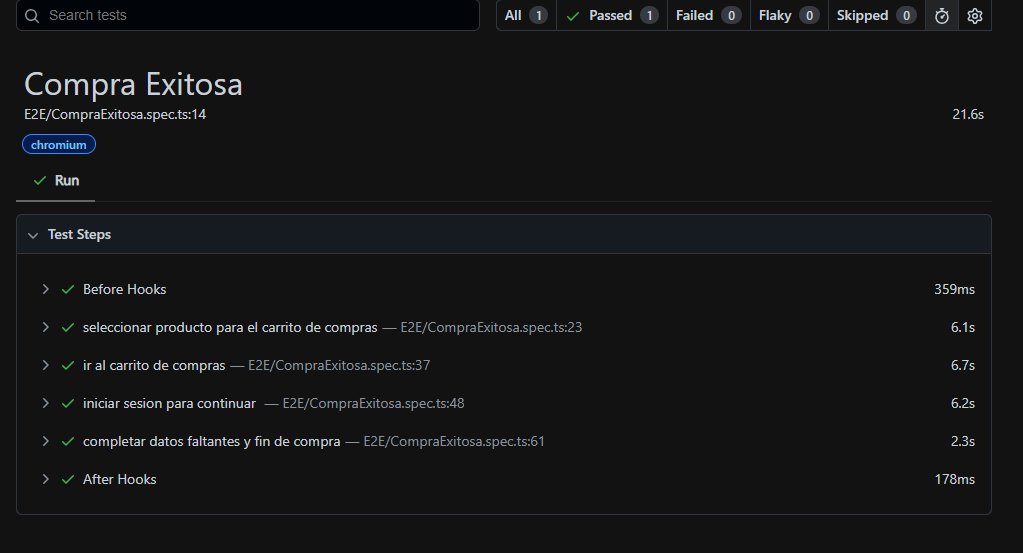
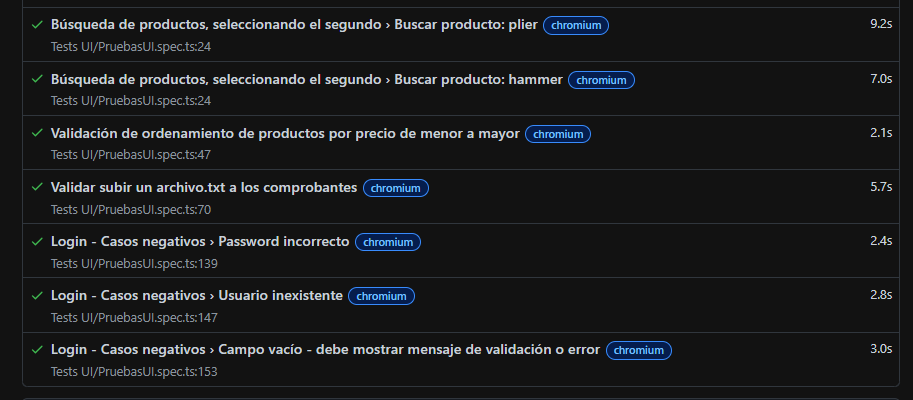
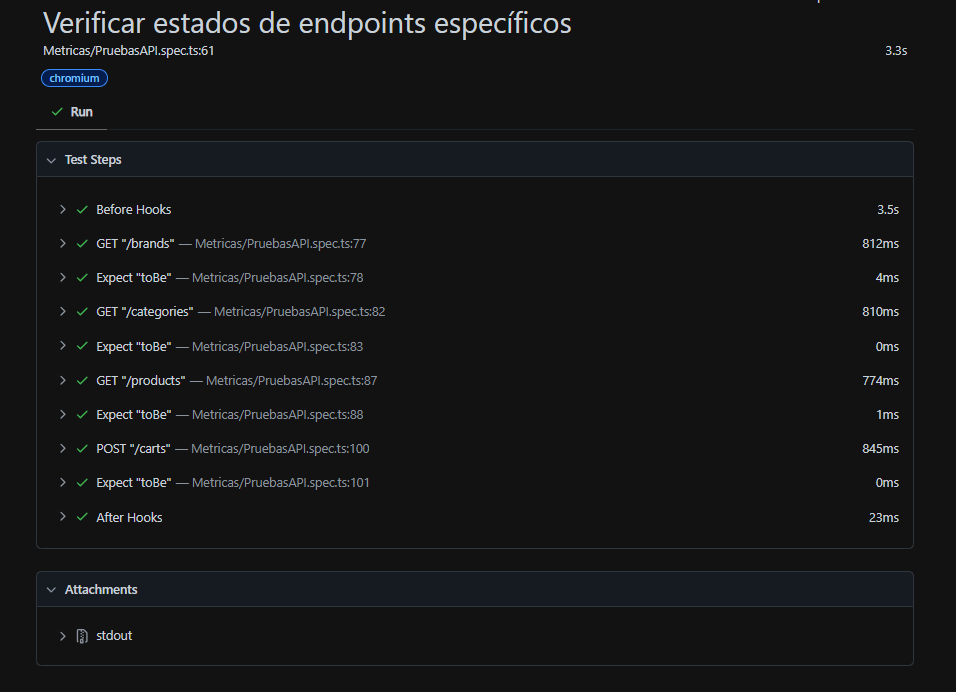
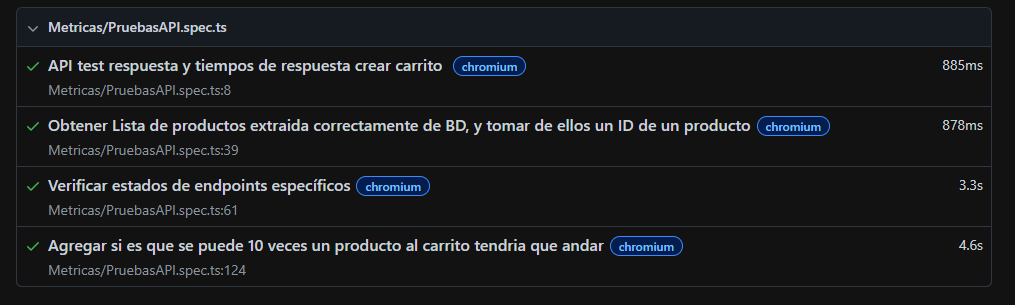
Example: No Results Found (Error Handling)
Test Reports
After running the tests, a detailed HTML report is generated automatically.
To open the report locally: npx playwright show-report
Live Test Reports (GitHub Pages)
You can view the latest test execution report here:
👉 https://paquitatorres.github.io/Playwright/
Goal
This project is part of my professional portfolio to demonstrate automation testing skills and continuous learning in QA engineering.